
You can create a new CV in the Te Heke Mai platform by going to the 'CV builder' tab.
The CV builder utilises a combination of information gathered during the sign-up process, input provided within the CV builder, and artificial intelligence (AI). Read more on the AI used here.
Using AI enhance
AI enhance can assist you in crafting a more compelling description by summarising your input and/or refining it to achieve a more professional tone.
You can revert to your original input and undo the latest enhancement by selecting "Undo" next to the AI enhance feature.
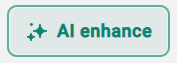
To use the AI Enhance just select the button (picture below for reference), then select if you want to shorten or make it more professional.
Adding more experiences, education, hobbies and skills
You can only add a certain amount of information in each section of your CV. The bottom of each page will show how many are allowed in each section.
To add more you will just need to select 'Add ... ' under their latest completed section.

Removing experiences, education, hobbies and skills
To remove a loaded piece of information, select the trash can icon located on the top right of the unwanted section.
